In this article, we will explore the best anti-detect browsers for Android, explain why these tools are essential on a smartphone, and highlight how they differ from their desktop counterparts.
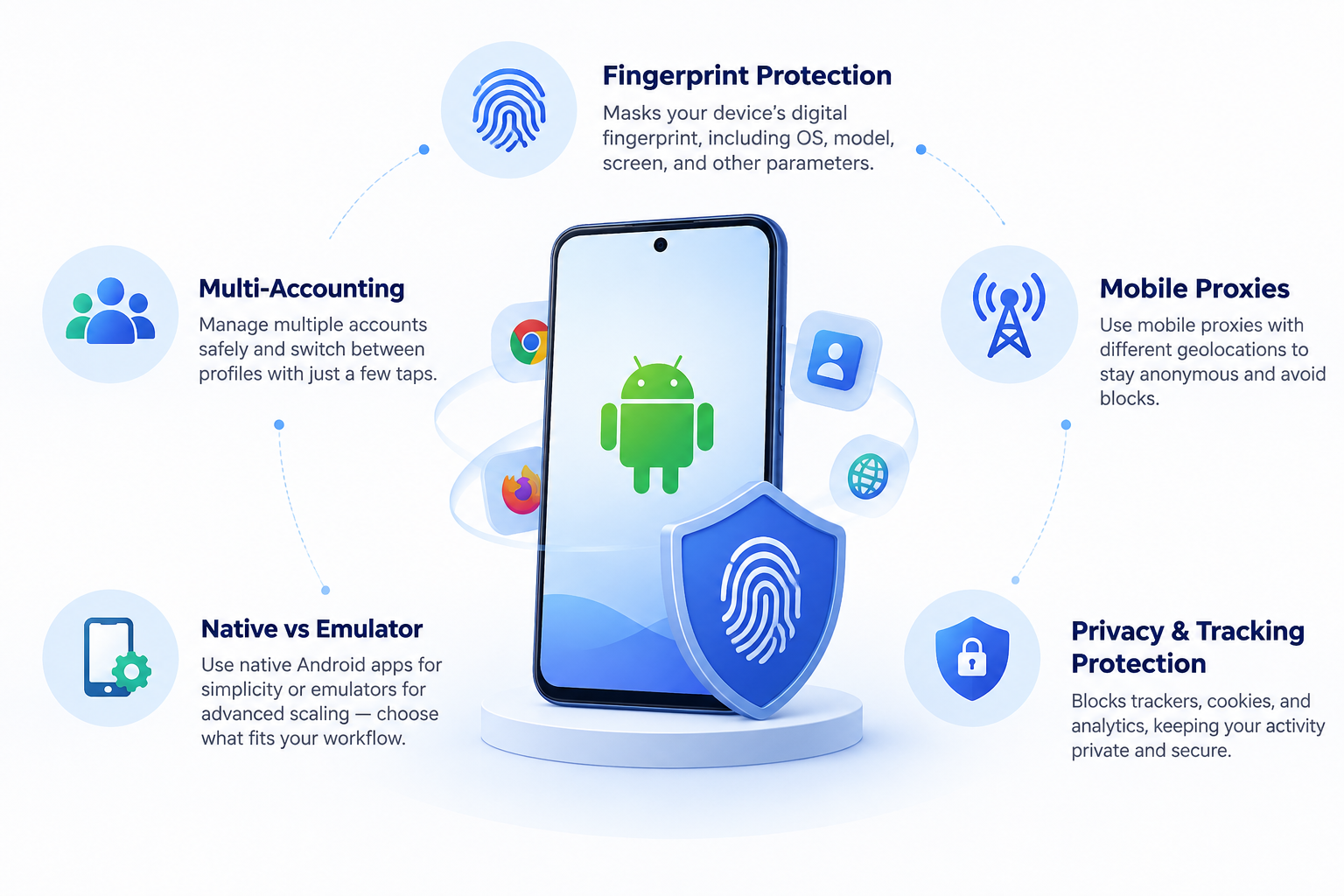
An anti-detect browser is a specialized tool that allows affiliate marketers, digital specialists, and privacy-conscious individuals to bypass tracking systems. These browsers mask the device’s digital fingerprint, substitute the IP address, and enable the management of multiple accounts without the risk of being blocked.
In this article, we will explore the top anti-detect browsers for Android, explain why these tools are essential on a smartphone, and highlight how they differ from their desktop counterparts.
★ 9.9 Vision A service highly favored by affiliate marketers, bonus hunters, and more. This is no surprise: the browser generates authentic fingerprints in just two clicks, and the support team never leaves users to face problems alone.
★ 7.2 0detect This service offers an advanced set of features for managing multiple accounts while maintaining anonymity. Its key feature is digital fingerprint substitution, allowing you to modify the User-Agent, device settings, and more. Read the full review →
★ 6.7 AdsPower AdsPower is ideal for managing multiple accounts on advertising platforms like Facebook. The browser allows you to create and configure separate browser profiles with unique fingerprints for each task.
★ 7.3 Dolphin{anty} Real fingerprints, one-click profile creation, flexible settings, bypassing anti-fraud systems, and minimal bans. The service stands out with unique features like profile synchronization and automation.
Why mobile anti-detect browsers for Android are necessary
Anti-detect browsers on Android are an absolute must-have for affiliate marketers working with Facebook, TikTok, Google Ads, and other advertising platforms. Without them, conducting normal operations is nearly impossible: accounts get banned, trackers expose your fingerprint, and advertising dashboards are blocked without the possibility of recovery. Here is what anti-detect tools provide:
- Multi-accounting: You can seamlessly work with different accounts and switch profiles in just a couple of clicks.
- New account registration: While the desktop version is commonly used for this, the mobile version often inspires more trust from platforms.
- Account warming (farming): After registering an account, it needs to be warmed up. Mobile versions are perfect for small-scale operations.
- Bypassing restrictions: Advertising dashboards, digital wallets, and various services remain accessible even if your primary IP is blacklisted or blocked.
- Privacy: Trackers, cookies, and advertising system analytics are effectively ignored.
- Clean fingerprint: Websites cannot detect that you are using the same device repeatedly, allowing your accounts to survive longer.
- Cryptocurrency and gray niches: This is a convenient method for accessing exchanges and wallets without the risk of freezing.
If a browser leaks your real fingerprint due to the lack of an anti-detect solution, the chance of being blocked increases significantly. Anti-detect browsers solve this issue by substituting device data and masking your activity to resemble a genuine user.
Mobile anti-detect tools are convenient because they work immediately after installation, without complex configurations. Just launch the app, add a proxy, create a profile, and start your campaigns.
Differences between Android and desktop anti-detect browsers
Anti-detect browsers come in two main types: mobile (Android) and desktop (Windows or macOS). Both variants serve the same primary purpose—masking your digital footprint—but they operate differently. Key distinctions include:
| Feature | Mobile Anti-Detect (Android) | Desktop Anti-Detect (Windows/macOS) |
| Fingerprint | Substitutes smartphone data: OS model, IP, geolocation, sensors | Substitutes browser and OS parameters: GPU, CPU, fonts, plugins |
| Flexibility | Can be used anywhere without being tied to a computer | Requires a stationary workspace or carrying a laptop |
| Performance | Limited by the smartphone’s hardware capabilities | Depends on PC hardware; can run dozens of profiles simultaneously |
| Simplicity | Installation and setup take just a couple of clicks | Often requires complex configuration with proxies and settings |
| Emulation | Built-in, no additional software needed | Requires an Android emulator if a mobile environment is needed |
Answering the question, “Which is better for affiliate work?” The answer is straightforward: if you are working with Facebook, TikTok, or Google Ads, a mobile anti-detect browser is the optimal choice for warming up and managing initial accounts. It allows for quick profile launches, IP changes via mobile proxies, and helps avoid mass bans.
For launching campaigns at scale and massive operations, a desktop anti-detect browser is more suitable, as it supports hundreds of profiles and process automation.
If you need a flexible tool for quick traffic deployment, choose a mobile anti-detect browser. If you handle large volumes, combine it with a desktop version.
How anti-detect browsers function with Android emulators
Some anti-detect browsers for Android operate as standalone applications, while others function through an emulator. This means the browser runs on a computer that simulates an Android environment. To achieve this, emulators like LDPlayer, BlueStacks, or MEmu are typically used.
How it works: The emulator creates a virtual environment where the Android operating system can run on a computer. In this scenario, the anti-detect browser functions as it would on a regular phone, but with added capabilities, such as managing multiple profiles, adjusting device parameters, and using a unique proxy for each profile. Let us compare the options to help you decide:
| Native Anti-Detect Browsers (Installed directly on the phone) | Emulated Anti-Detect Browsers (Run via Android emulators like LDPlayer, BlueStacks, MEmu) |
| ✅ Works immediately after installation, no extra setup required | ❌ Requires configuration: you must select an emulator, set up configurations, and optimize for specific tasks |
| ✅ Allows traffic deployment from anywhere, independent of a PC | ❌ Tied to a specific workstation |
| ✅ Supports mobile proxies, significantly reducing the risk of detection | ❌ Does not support mobile proxies natively |
| ❌ Limited by hardware power; difficult to farm multiple accounts | ✅ Supports dozens of profiles, making it ideal for scaling operations |
| ❌ Tied to the specific phone model and OS version | ✅ Can emulate various phone models and operating systems |
| ❌ Difficult to automate processes. Automation apps exist but do not match PC capabilities | ✅ Easier to automate processes using scripts |
| ✅ Remains undetected, as the anti-detect is native | ❌ Can be detected on certain platforms if the emulation is poorly configured |
If you are managing a small number of accounts, install a native anti-detect browser.
If you are engaged in farming, auto-deployment, and managing hundreds of profiles, use an emulator combined with an anti-detect browser.
Ideally, combine both approaches: warm up accounts via an emulator, and conduct primary operations through real Android devices equipped with an anti-detect browser. This minimizes detection risks and provides maximum flexibility.
Top 5 best anti-detect browsers on Android for affiliate marketing
Choosing an anti-detect browser for Android depends on your specific tasks: farming, traffic deployment, browsing, or testing. Here is a list of the best mobile anti-detect solutions.
DuckDuckGo
DuckDuckGo is an anti-detect browser developed by the creators of the同名 search engine. It filters trackers and does not save your browsing history.
- Pros: Maximum privacy, no activity tracking, convenient minimalist interface, ad-free, and high browsing speed.
- Cons: Search results are weaker than Google’s, lacks voice search, few images in results, no reverse image search, and some websites may block access.
- Features: Clears history and cookies with a couple of taps, does not overload the system.
DuckDuckGo is compatible with Android 5.0+ and is completely free.
Tor Browser
Tor Browser is the official Tor application for anonymous web browsing. It routes your traffic through a chain of servers.
- Pros: Complete anonymity, access to restricted websites, ability to configure bridges, security protocols, and protection against tracking.
- Cons: Slow connection due to the Tor network, occasional connection issues, requires manual setup, and lacks Russian language support.
- Features: No encryption by default, three security levels, and constant updates.
Tor Browser is compatible with Android 5.0+ and is completely free.
Dolphin Zero
Dolphin Zero is a lightweight browser with automatic data clearing.
- Pros: Completely deletes history upon exiting the browser, easy to use, and allows backup creation.
- Cons: Infrequent updates.
- Features: Allows device fingerprint modification and features a minimalist interface.
Dolphin is compatible with Android 4.1+ and is free. A paid version with extended functionality is also available.
Adblock Browser
Adblock Browser is a Chromium (Chrome) based browser with built-in ad and tracker blocking.
- Pros: Blocks ads and pop-ups, enables ad-free YouTube viewing, offers language-based content filtering, and protects against malicious code to prevent password theft.
- Cons: Occasional lag during video playback, no data import from other browsers, lacks a built-in translator, and cache can clutter memory over time.
- Features: Includes a website whitelist and protects against malware.
Adblock Browser is compatible with Android 5.0+ and is completely free.
GoLogin
GoLogin is a full-fledged anti-detect browser designed for creating profiles, substituting IP addresses, time zones, and other parameters. A detailed review of this browser can be found on our site.
- Pros: Supports multiple profiles, high level of anonymity, affordable pricing, free proxies, and a user-friendly interface.
- Cons: Slow customer support, occasional profile glitches, paid after the trial period, and limited features in the free version.
GoLogin is compatible with Android 4.1+. It offers a 7-day free trial, after which it costs $50–$100 depending on the plan. Cryptocurrency is accepted as a payment method.
The promo code BROWSER50 activates a 50% discount on your first purchase.
How to select an anti-detect browser for your smartphone
To ensure successful account warming, testing, and traffic deployment, you must choose a reliable anti-detect browser. Here are the main criteria to consider:
- Functionality: If your primary task is managing multiple accounts, pay close attention to supported features: fingerprint substitution, proxy integration, and multi-accounting capabilities. Ensure the browser supports mobile proxies and has settings optimized for handling multiple accounts.
- Anti-detect protection: It is crucial that the browser remains undetected by advertising systems. Evaluate its effectiveness regarding detection levels on popular platforms and ad networks. While some browsers are optimized to minimize ban risks, remember that guaranteed anonymity is impossible.
- Convenience and speed: The simpler the interface and setup, the faster you can deploy your workflow. Browser speed is also a critical factor.
Choose and utilize an anti-detect browser based on your specific needs. For affiliate marketing, consider GoLogin or Dolphin. For independent searching, use DuckDuckGo. For maximum anonymity, choose Tor. For ad blocking, Adblock is ideal. You can download multiple anti-detect browsers and use them for different purposes.
Which proxies are needed for working with anti-detect browsers on Android?
For Android anti-detect browsers, mobile proxies with geolocation support and diverse IP addresses are ideal, as they help minimize the risk of being blocked.
Can I download an anti-detect browser for Android for free?
Yes, most of the browsers in our selection are free. However, some may not be suitable for professional work due to limited functionality, requiring an upgrade to a paid version.
Can an anti-detect browser guarantee complete anonymity?
No, while anti-detect browsers significantly enhance anonymity, they cannot guarantee absolute protection against all forms of detection, especially if configured incorrectly.