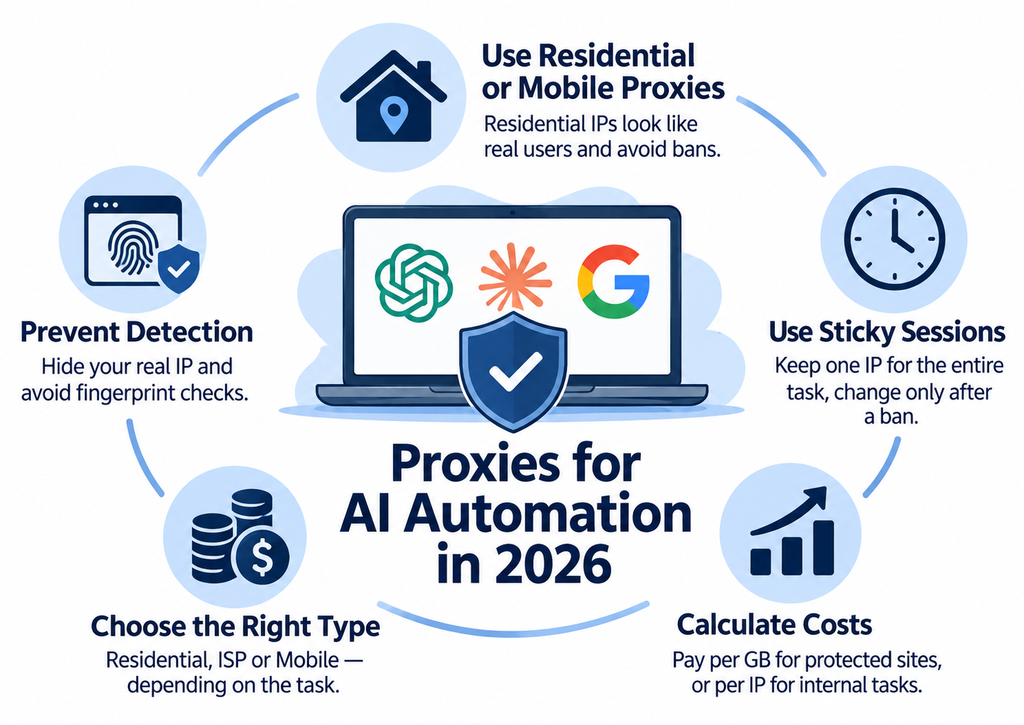
Does your ChatGPT Agent crash on the tenth task, does Claude return a “region not supported” error, and does your Playwright browser agent hit a CAPTCHA every other time? If this sounds familiar, the issue is almost never in the code. By 2026, the anti-fraud systems of OpenAI, Anthropic, and Google have learned to identify server IPs, fake datacenters, and “noisy” proxy pools in seconds.
Below is a guide with examples, pricing, and specific providers—no fluff.
Let us break it down step by step.
Under the hood, an AI agent is essentially a standard browser, and websites see it exactly as a scraper, not a living user. This means any launch of a ChatGPT Agent, Claude for Chrome, Gemini in Chrome, or Browser Use sends real HTTP traffic through the target resource, which is easily attributed and blocked.
In 2026, a new vector was added to this: Fingerprint AI Assistant Detection. The system matches IP ranges from OpenAI and Anthropic to identify ChatGPT and Claude, while Gemini is flagged via Google’s DNS verification. The outbound IP alone exposes the agent, even if the browser fingerprint is flawless.
Next comes the classic challenge on steroids. Datacenter IPs are flagged instantly: their IP ranges are publicly listed and known to belong to hosting providers, so anti-bot systems quickly block such traffic. Without a residential proxy or a mobile pool, the blocking rate on protected sites skyrockets to 80–90% by the second or third iteration of the agent.
This does not mean server proxies are obsolete in 2026. They have simply moved to a different layer of tasks: internal APIs, development and staging environments, monitoring your own endpoints, running agent scenarios before deployment, and making requests to the LLM providers’ own APIs—places where there is no Cloudflare, DataDome, or behavioral anti-fraud. Routing this traffic through a residential pool at $4/GB is throwing money away: an individual IPv4 at ProxyLine costs less than a dollar per month, IPv6 starts at ten cents per address, and traffic on them is not billed at all. The rule is simple: pay per gigabyte where address “liveness” is required, and pay per IP where you just need a clean, static exit point.
The choice depends on where the agent is going: the more aggressive the anti-bot protection on the target site, the “livelier” the IP must be.
The difference in address sources directly impacts the blocking rate and your traffic bill. Below are the 2026 price benchmarks per GB from key providers.
| Type | IP Source | Price $/GB (2026) | When to Use | Blocking Rate |
| Datacenter | Servers in data centers | From $0.50/GB, or ~$0.70 per IP/month with unlimited traffic (ProxyLine) | Internal APIs, non-critical tasks, dev environments | High on protected sites |
| Residential | Home users | SOAX $3.60, Decodo from ~$2 with volume, IPRoyal from ~$7, Bright Data ~$8.40/GB PAYG | ChatGPT Plus, Claude, Gemini, scraping with login | Low |
| ISP (Static Residential) | Internet providers, static IPs | Bright Data ISP ~$1.30/IP/month, from ~$0.90/IP with commitment | Sticky sessions for hours, subscription payments, account management | Low with stable binding |
| Mobile | 3G/4G/5G operators | DataImpulse from $2/GB, Bright Data from $14.4/GB | Instagram, TikTok, banking, mobile-first platforms | Minimal |
Mobile proxies are used selectively—for the most aggressive anti-bots and mobile APIs, where an operator’s IP looks the most natural. Datacenter proxies are reserved for your own services and testing: on Cloudflare or DataDome, they will burn on the very first request. ISP proxies are the compromise: you pay like it is residential, but you get a static IP that lasts for days, ensuring the agent does not drop out of the session in the middle of a subscription payment.
How to choose the proxy type for your AI agent’s task.
Short Summary
- To run ChatGPT, Claude, and Gemini from Russia, you need a US residential IP with a sticky session of at least 30 minutes via DataImpulse, SOAX, IPRoyal, or Bright Data. Local or free IPs get blocked during registration or payment.
- The golden rule of rotation: use one sticky IP for the entire agent task. Change it only after a ban or when the workflow is complete. Rotating IPs during an active session with a login instantly exposes the bot.
- Residential proxy prices in 2026: DataImpulse from $1/GB, Decodo from ~$2/GB, SOAX at $3.60/GB, IPRoyal from $7/GB, Bright Data ~$8.40/GB PAYG. Datacenter proxies start at $0.50/GB but fail on protected sites.
- The cost of a single agent run is calculated as: (average MB per run × price per GB) / 1024. For a 50 MB task at $4/GB, it costs about $0.20. The provider’s concurrency limit is more critical than saving a few cents per GB.
- Note: NetNut’s residential network was shut down by Google and the FBI on July 2, 2026, due to botnet connections, making old recommendations obsolete.
Sticky Sessions vs. Rotation: The Golden Rule to Avoid Getting Caught
Sticky sessions keep one IP for the entire workflow, while rotation breaks the session.
The main rule: Assign one IP to the entire agent task, changing it only upon a ban or after completion. A sticky session maintains the outbound address throughout the workflow—from login to the final action—while rotation should happen between tasks, not within them.
Why is this critical? An aggressive rotating IP in the middle of a session is a direct red flag for fraud detectors: a user just logged in from Frankfurt, and a minute later clicks a button from Warsaw. The cookies are alive, the fingerprint is the same, but the IP jumps—the session gets banned, and sometimes the entire account. This is especially strictly monitored by X/Grok, LinkedIn, and any platform using behavioral anti-fraud.
Rotating IPs are justified in exactly one scenario: massive parallel scraping of public pages without login or state. As soon as authorization, a shopping cart, or a multi-step agent scenario is involved, use only sticky sessions. Most providers allow long sticky sessions: for example, SOAX offers time-based rotation every 5, 15, or 60 minutes, or sticky sessions up to an hour for mobile/residential, and up to 24 hours for ISP/datacenter.
Architecturally, store the binding in the task metadata: proxySessionId, provider, country, assignedAt. Upon a ban, mark the session as burned, spin up a new one with the same geo, and migrate the task.
Specifically for X/Grok: change the IP no more than once every 24–72 hours per account. More frequent changes are a massive red flag for the platform’s anti-fraud systems.
Based on experience, the most common beginner mistake is choosing a rotating pool “because it is cheaper” and then wondering why the agent fails mid-checkout. We ran the same workflow with 10-minute rotations versus a sticky IP for the whole task—the success rate was nearly double with sticky, and traffic consumption was actually lower because there were no retries after bans. The rule is simple: if there is a login within the task, use only sticky, no exceptions.
Each of the four leading agents—ChatGPT Agent, Claude, Gemini, and Browser Use—has its own network behavior model, fingerprint control level, and weak spots where bans or CAPTCHAs most frequently occur. The generic advice to “just use a residential pool and rotate IPs” fails here: some require a sticky session for the entire thread, while others need rapid rotation for every sub-request. Below is the specific breakdown for each.
Datacenter pools barely survive here—datacenter IP ranges are publicly listed and known to belong to hosting providers. Sites with strict protection block these addresses quickly, making them much more detectable than residential or mobile IPs. The practical minimum is a pool of 50–100 residential IPs geo-targeted to the website’s market, not your own.
This simplifies things—you can connect any residential or mobile pool via standard HTTPS/SOCKS5. For Computer Use, where Claude controls a real browser, the logic is the same as for ChatGPT Agent: sticky session, residential IPs, and geo-matching with the target site.
Here, the full arsenal works: residential for social media and e-commerce, mobile for Instagram and TikTok, and internal dashboards or APIs without protection. The key is concurrency: if you are running 20 parallel agents, you need a pool with 20 independent sticky sessions; otherwise, the device fingerprint will match, and the entire cohort will get banned simultaneously.
The Russian Context: How to Run ChatGPT, Claude, and Gemini from Russia
A US residential sticky setup with matching geo solves most bans.
OpenAI, Anthropic, and Google do not serve Russia under their terms of service. Therefore, stable operation requires a residential IP from a supported country—in practice, a US residential sticky session lasting 30 minutes or more. A Russian or CIS IP will lead to account blocking during registration or the first payment attempt.
Paying for Plus and Pro. Stripe checks the card’s country against the IP country at checkout. If the card is issued in a jurisdiction different from the US, but the IP is a US residential one, the payment often goes through, but the rejection risk remains. Keep the same sticky session for registration, payment, and the first few weeks of logins—a sudden geo change triggers fraud scoring.
Public free services are not suitable: their subnets have long been blacklisted by OpenAI and Anthropic anti-fraud systems, and accounts get banned within hours. Note: On July 2, 2026, NetNut’s residential network was shut down by Google and the FBI, and its domains were seized due to botnet connections, making old NetNut recommendations obsolete. Working alternatives today are DataImpulse, SOAX, IPRoyal, and Bright Data.
A pure residential pool in 2026 is only enough for simple GET requests. On protected platforms, the agent is caught by device and behavior, not just IP. The first two layers cover IP rotation and scenario launching, but they will not save you if Canvas, WebGL, fonts, and Client Hints reveal the same machine across hundreds of sessions.
The bottleneck has shifted precisely to the device layer, especially on mobile-first platforms where TLS signatures and device parameters are checked more rigorously than ASN. Approaches to preparing devices for traffic in mobile-first verticals are built exactly around this principle—isolating the device fingerprint is more important than IP rotation. Anti-bot engines like Fingerprint AI Assistant Detection operate at the HTTP level and simultaneously return automation and suspicious network infrastructure signals—meaning they look at the “IP + device + behavior” combination simultaneously.
Top Providers and How to Calculate the Cost Per Agent Run
Calculating cost per gigabyte for key residential proxy providers.
You must calculate based on the task, not the gigabyte.
The formula is simple: cost_per_task = avg_MB_per_run × price_per_GB / 1024. An average browser agent on Playwright or Browser Use consumes 30–70 MB per run (HTML, JS bundles, images, retries). At 50 MB per run and a price of $4/GB, one task costs about $0.20. A fleet of 10,000 runs per day already costs $2,000, and here, the provider’s concurrency limit is more important than saving $0.50/GB.
But before calculating, determine what portion of the fleet actually visits protected sites. In our tests, this is 30–50% of tasks: the rest are internal APIs, internal dashboards, health checks, service verifications, and scenario runs on staging. For this half, the cost_per_task formula is unnecessary because the “gigabytes” variable does not exist: you take a fixed pool of server addresses with unlimited traffic and pay per IP per month. At ProxyLine, this includes IPv4 and IPv6 in both HTTP and SOCKS5 protocols, with manual selection of country, subnet, and city from 4,700+ networks, and rental starting from 5 days. This means you can take five addresses for a week, run a load test at peak concurrency, and only then expand the pool. They also have built-in anonymity checkers, speed tests, and spam-list checks: you can see in advance if an address is already flagged. On a fleet of 10,000 daily runs, a hybrid of “cheap static for internal + residential for external” saves exponentially more than haggling over $0.50 per GB.
| Provider | Price from, $/GB (residential) | Features | Best For |
| DataImpulse | $1/GB residential, $0.50/GB datacenter, $2/GB mobile, no subscription | Unlimited concurrent threads, HTTP(S) and SOCKS5, PAYG | Budget launches, MVP agents |
| SOAX | from $3.60/GB on the 25GB plan for $90/mo | Sticky sessions up to 1h (mobile/res) and up to 24h (ISP/DC), 99.5%+ success rate | Balance of price and stability |
| Decodo (Smartproxy) | from ~$2/GB with volume | Flexible PAYG, mid-market | Medium scraping projects |
| Bright Data | ~$8.40/GB PAYG, down to ~$3.00/GB on commit | 150M+ IPs in 195 countries, 97–99% success rate | Enterprise, MCP integration, complex targets |
| Oxylabs | from $8/GB on the 10GB plan for $80 | Enterprise SLA, large pool | Large scraping pipelines |
| IPRoyal | from $7/GB, down to $1.75/GB in bulk, traffic does not expire | Sticky sessions up to 24 hours | Bursty loads, non-expiring traffic |
Selection rule: first calculate the cost_per_task on your real traffic, then eliminate providers whose concurrency is lower than your peak fleet. The same principle applies when calculating search engine optimization costs—the price per target action matters, not an abstract resource.
In practice, we burned ourselves on concurrency, not the price per gigabyte. We chose a beautiful plan at around $2/GB, but at 150 parallel sessions, the provider silently started dropping connections—the success rate dropped from 95% to 60%, and we spent a week looking for the cause in the agent’s code. Since then, the rule is ironclad: before migrating the fleet, we run a load test at real peak concurrency for at least a day, and only then do we calculate the economics.
Checklist: How to Avoid Getting Banned
Save and apply this rotation checklist, which covers 90% of the reasons an agent gets hit with 403 errors and CAPTCHAs.
- One sticky IP per agent task. Keep the sticky session for the entire workflow: login, actions, checkout—all from one IP. Rotation within a session = instant ban.
- Geo-matching. IP, browser locale, timezone, and payment card language must all be from the same country.
- Delays of 500–3000 ms between clicks and typing, randomized. This is the foundation of human-like behavior.
- Parallelism limit: no more than 3–5 sessions per /24 subnet of residential IPs.
- Monitor the ban rate. At the first 403 or CAPTCHA, migrate the session to a fresh IP; do not bang your head against the wall.
- Separate pools by purpose. Residential and mobile are only for external protected platforms. Your own APIs, staging, monitoring, and load tests should use cheap server static IPs. Otherwise, you burn expensive traffic on requests that no one checks, and you hit the gigabyte limit before the concurrency limit.
Remove just one of these, and you will be caught by detectors like DataDome within minutes.
Conclusion
An AI agent without proper network wrapping in 2026 does not live long: a few hundred requests, and you face a CAPTCHA, a limit, or a full account block.
Calculate your traffic consumption and the price per successful run: then you can scale consciously, not blindly. Immediately separate two budgets: residential per-GB for protected targets, and fixed per-IP for everything else. A starter set of server IPv4 and IPv6 for the second half of tasks can be acquired at ProxyLine starting from 5 days, with address replacement in the first 48 hours if a specific IP does not work. This is enough to test the scheme and calculate real consumption before you commit a budget to a residential pool.
Frequently Asked Questions
How to set up a sticky session for a multi-step workflow? Save this proxySessionId in the agent task metadata and reuse it across all steps: login, navigation, form submission. Rotate only upon an explicit ban or CAPTCHA, not on a timer.
How to bypass Fingerprint AI Assistant Detection? The key principle is the consistency of all signals: IP geolocation, timezone, browser language, and keyboard layout must match. For Browser Use, use the browser_config.proxy parameter with a similar structure, which is passed to the base Chromium. The order of digits is just a few cents per run: the cost is calculated as the task’s traffic multiplied by the provider’s price per gigabyte. A typical agent session consumes tens of megabytes, and residential traffic averages $3 to $15 per gigabyte, while datacenter starts from $0.50 per IP.
How to run ChatGPT and Claude from Russia? Keep one IP for the entire session; do not switch between countries within an account. Always verify that the IP country matches the payment card and phone verification country, otherwise, a location change check is triggered. But as soon as Cloudflare Turnstile, DataDome, PerimeterX, or mobile-first platforms like Instagram and TikTok appear in the stack, the device layer becomes unavoidable.