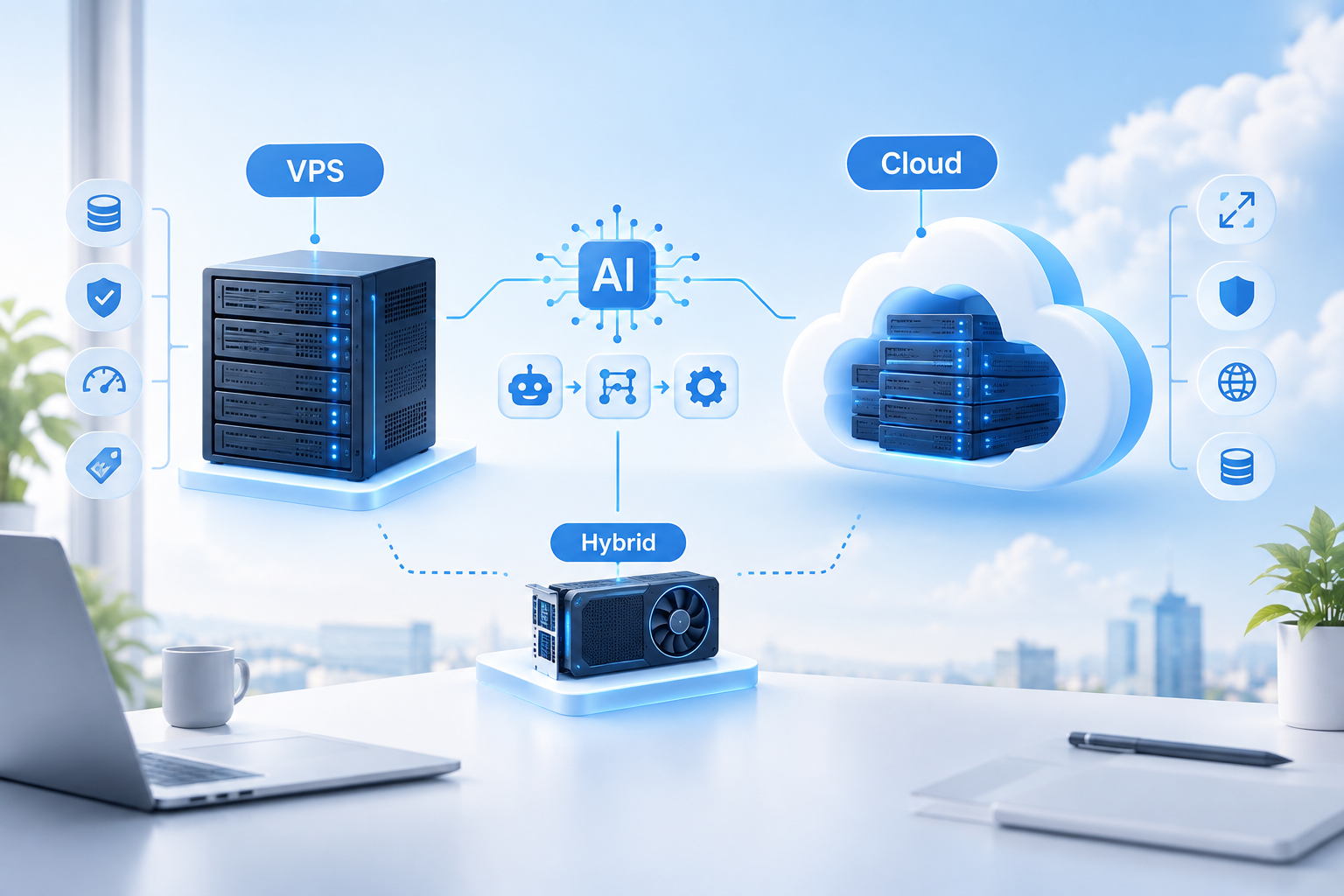
Launching an AI service, deploying n8n, or migrating a business application often leads to the same initial roadblock: should one opt for a VPS with a fixed monthly fee or transition to a Cloud environment with pay-as-you-go billing? A mistake at this stage carries a heavy price. Some overpay by three to five times for idle Cloud resources, while others hit the ceiling of a VPS exactly when the load from llm inference scales exponentially.
This analysis cuts through provider marketing to determine whether VPS or Cloud services are more advantageous in 2026 for specific tasks such as model inference, process automation, bot hosting, and production business applications. It presents real figures for the russian and cis markets, the boundaries of applicability for each option, and scenarios where a hybrid approach saves more than a pure solution.
The discussion begins by identifying the true boundary between these two infrastructure worlds.
Short summary
- In 2026, a VPS is two to four times more cost-effective than Cloud infrastructure for stable, 24/7 workloads, whereas the Cloud excels in handling peak and unpredictable loads with autoscaling.
- Llama 3.1 8b in q4 quantization runs on a cpu-based VPS with 16 to 32 gb of ram without a gpu, delivering approximately 14 tokens per second, which is sufficient for chatbots, rag pipelines, and n8n agents.
- A hybrid setup combining a VPS at €138 per month with on-demand serverless gpu usage is 60 to 80 percent cheaper than a dedicated gpu server, as the graphics card is billed only for the seconds it is actively used.
- Storing the personal data of russian citizens outside of russia violates 152-fz: fines for legal entities reach up to 300,000 rubles, and repeated major data leaks can incur turnover-based fines of up to 500 million rubles.
- Overselling on budget VPS platforms is detectable via the sysbench stress test and the steal time metric in top: consistent values above 5 to 10 percent indicate that the hypervisor is sharing your cpu cores with neighboring tenants.
VPS and Cloud in 2026: what really changed
How the structure of AI workloads has evolved over three years
By 2026, the choice between a VPS and the Cloud is no longer a binary decision between “cheap but manual” and “expensive but with convenient buttons.” A third option has emerged: managed VPS, and the cost of llm inference has completely rewritten the economics of AI infrastructure.
Brief definitions. A VPS (also known as vds, or virtual private server) is an isolated slice of physical hardware with fixed resources and a predictable monthly bill. Iaas Cloud is a resource pool provided by a hyperscaler, featuring per-minute billing, autoscaling, and dozens of managed services layered on top, such as databases, message queues, and load balancers.
The baseline must-have for a VPS in 2026 includes nvme drives instead of sata ssds, kvm virtualization without cpu overselling, dedicated cpu cores in higher-tier plans, and an honest sla of at least 99.9 percent. If a provider is still selling openvz with shared cores, that is a relic of 2020, not 2026.
The primary shift is economic. Industry analysts estimate that inference consumes 80 to 90 percent of all AI computing power, and the share of inference in AI computations has grown from a third in 2023 to a projected 70 to 80 percent by the end of 2026. The “trAIning versus serving” debate is obsolete: only a few entities trAIn models, but everyone needs to keep a model running in production 24/7. This leads to the central question of this article: where is it cheaper to run continuous workloads, on a VPS with a fixed check or in the Cloud with pay-as-you-go pricing.
Direct comparison by 8 criteria: table
Key differences between VPS and Cloud infrastructure
Comparing VPS versus Cloud in 2026 is best summarized across eight criteria that genuinely impact the end-of-month bill and service stability. The table below serves as a practical checklist: review each row to determine what is critical for your specific workload and what can be compromised.
| Criterion | VPS | Cloud (iaas) |
| Price for basic configuration | 2 to 4 times lower for equivalent vcpu and ram | More expensive, but billed hourly |
| Billing predictability | Fixed monthly tariff | Pay-as-you-go, fluctuating bills |
| Scalability | Manual resizing, often requiring downtime | Metric-based autoscaling, no manual intervention |
| Fault tolerance | Single node; hypervisor fAIlure causes downtime | Live migration, replicas, multi-zone avAIlability |
| Sla | Typically 99.9 percent | Up to 99.99 percent on managed services |
| Deployment speed | Minutes to provision a single machine | Seconds via api or terraform, ready-made managed services |
| Environment control | Full root access, custom kernels allowed | Restricted by hypervisor and provider policies |
| Egress traffic | Usually included in the tariff (terabytes) | Billed separately, easy to exceed budget |
Where VPS wins: stable 24/7 workloads, predictable budgeting, heavy outbound traffic (streaming, model serving), and full root access for custom kernels and drivers. Where Cloud is stronger: peak and unpredictable loads, requirements for 99.99 percent sla, and ready-made managed databases, queues, and load balancers without administrative overhead.
A specific trap of cheap VPS plans is overselling: the provider allocates more vcpus than there are physical cores. This is detectable through two methods. The first is a stress test using stress-ng or sysbench for 15 to 30 minutes under parallel load; if performance fluctuates by 30 to 40 percent, the cores are shared with neighbors. The second is the steal time metric in top or vmstat: sustAIned values above 5 to 10 percent mean the hypervisor is regularly stealing cpu cycles from your instance. For production environments, always select plans with dedicated cpus.
In practice, a new VPS should always be subjected to a sysbench cycle for the first 24 hours while simultaneously monitoring steal time via telegraf. There was a case where an allegedly dedicated plan from a european provider was chosen for n8n with llm agents, boasting 8 vcpus on paper. By the third day, nighttime steal spikes reached 18 percent, causing workflows to time out on openAI requests. The setup was migrated to hetzner ccx within a week, where steal time consistently remAIned below 0.5 percent. The rule is simple: if a provider is unwilling to refund money based on stress test results within the first 48 hours, the plan is not dedicated, but merely marketing.
This rule can easily be turned into a selection filter. Do not just look for the word “dedicated” in the plan description; check two things: whether resource isolation without overselling is explicitly guaranteed, and whether there is a refund window long enough to run sysbench. For instance, IWIHOST covers both positions with kvm, guaranteed vcpus, ecc memory, nvme drives, and a 48-hour no-questions-asked refund policy. This window is exactly enough to run a day under load and measure steal time: if the hypervisor is noisy, you exit the deal for free, rather than paying for a month of someone else’s cores.
VPS or Cloud for AI: llm inference, rag and agents 24/7
Hybrid approach: permanent VPS and on-demand gpu
By 2026, the primary AI workload has become inference rather than trAIning: 90 percent of teams do not trAIn models but instead run pre-built llama, qwen, or mistral models, connecting them to rag pipelines and agents. This flips the infrastructure selection logic: a month-long h100 cluster is unnecessary; what is needed is a predictable 24/7 cpu-VPS plus rare gpu spikes.What a CPU-VPS can actually handle without a gpu. A standard kvm virtual server with 16 to 32 gb of ram and a dedicated cpu can handle more than commonly assumed. According to markAIcode benchmarks on amd epyc 9354, llama 3.1 8b in q4_k_m quantization on 12 threads delivers approximately 14.2 tokens per second on a single amd epyc core, which is sufficient for interactive chat. For a 13b model in q5, allocate 10 to 12 gb of ram. A cpu-VPS comfortably hosts: vector search (qdrant, weaviate) for hundreds of thousands of documents, rag orchestration, embeddings via openAI or voyage api, classifiers, intent routers, and 24/7 AI agents on n8n or langgraph, provided each step completes within 3 to 5 seconds.
When a gpu is unavoidable. A gpu server is mandatory for models of 30b parameters or larger without aggressive quantization, image and video generation (flux, sdxl, wan), real-time voice pipelines, and any scenario requiring a latency of less than 1 to 2 seconds per response. Batch processing of a product catalog or transcribing hours of audio is also cheaper on a gpu than wAIting a full day on a cpu.
The hybrid scheme is the 2026 optimum. A working architecture involves a VPS with nvme storage for $15 to $25, which continuously hosts n8n, an api gateway, qdrant, and postgres; heavy inference is offloaded to serverless gpu providers (runpod, modal, vast.AI) on demand, with billing per second of operation. The VPS triggers the gpu endpoint only when a request requiring a heavy model arrives. Idle time equals zero cost.
Break-even point: self-host versus api. Estimation: at official openAI pricing, gpt-4o mini costs $0.15 per million input tokens and $0.60 per million output tokens. Self-hosting llama 3.1 70b on a rented a100 gpu under partial load is significantly more expensive than the api. Benchmarks with cpu-only on amd epyc 9554 show the model yielding about 7 tokens per second, which dictates the lower price boundary for server infrastructure to achieve decent throughput. The simple conclusion: up to 50 to 100 million tokens per month, the api is cheaper and more reliable. Beyond that, calculate your own infrastructure tco, including devops hours. Quantizing the model to q4 lowers this boundary by two to three times.
Business automation on VPS: n8n, bots, crm
For automation based on n8n, telegram bots, and a small crm, a single VPS with a dedicated cpu is almost always three to five times cheaper than an equivalent set of managed services in a public Cloud, assuming comparable reliability and a willingness to manage backups and monitoring independently.
A typical 2026 stack is assembled via docker compose in an evening: n8n or activepieces as the orchestrator, postgresql for workflow and crm data storage, redis for queues, and a couple of contAIners running telegram bots in python or node.js. All of this runs smoothly on a single machine. Incidentally, the same stack is convenient for setting up automated social media posting; if content activity runs parallel to core automation, the infrastructure savings are doubled.
The working minimum for a team of up to 20 people and 50,000 to 200,000 workflow executions per month is 4 vcpus (specifically dedicated, not burstable), 8 gb of ram, and 80 gb of nvme storage. If running llm agents through n8n with external api calls, upgrade immediately to 6 vcpus and 16 gb of ram, as the bottleneck will become http request parallelism and the redis queue. It makes sense to separate the postgresql replica and a dedicated worker node only when the database exceeds 30 gb or n8n consistently pushes cpu usage above 60 percent.
In monetary terms, this configuration is suspiciously inexpensive today, provided one avoids hyperscalers. A plan like 4 vcpus / 8 gb / 70 gb nvme at iwihost costs $14.99 per month, and the next tier for llm agents—8 vcpus / 16 gb / 150 gb—is $29.99. This is a fixed sum including a 500 mbit/s port and 30 tb of traffic, which n8n with webhooks and api calls will never exhaust. For comparison, an equivalent set of managed services in a public Cloud—an instance, managed postgresql, managed redis, and a load balancer—starts at $60 to $80 and grows with every gigabyte of egress. It makes sense to choose a location closer to the apis you interact with most frequently: the provider offers 11 countries, from the us and uk to germany, the netherlands, and poland, allowing latency to external services to be optimized for your specific stack rather than accepted as an afterthought.
A fleet of 3 to 5 VPS instances is conveniently managed via terraform (provisioning via the provider’s api) and ansible (roles for docker, n8n, and backups to s3-compatible storage). This is self-hosted automation without vendor lock-in to proprietary consoles; migrating between hosts takes hours, not weeks.
Based on experience over the last year and a half, the mAIn mistake with this stack is skimping on redis and the database by placing them in the same contAIners as n8n without memory limits. One heavy workflow with a large payload fills the ram, the oom killer terminates postgresql, and suddenly both queues and bots crash simultaneously. Testing n8n on 6 vcpus / 16 gb with a flow of about 120,000 executions per month proved stable only after setting memory limits on every contAIner and moving redis to a separate instance, even a small one. Furthermore, n8n backups should not rely on the built-in export, but rather on pg_dump to an s3-compatible storage every 6 hours, as workflow exports lose credentials and execution history.
Tco over 24 months: three real business scenarios
Comparison of total cost of ownership across scenarios
Comparing VPS and Cloud “head-to-head” based solely on hardware prices leads to budget surprises. The real infrastructure tco over a 24-month horizon includes egress traffic, snapshots and backups, devops hours for migration and updates, downtime during incidents, and the cost of managed add-ons (load balancers, s3, managed databases). Below are three scenarios with estimated figures.
AI startup with telegram bot on llm
Configuration: 8 vcpu / 32 gb / 200 gb nvme + external gpu instance on demand for inference. A similar machine at hetzner, the ccx33 with 8 dedicated amd epyc vcpus and 32 gb of ram, costs €138.49 per month (€0.2219 per hour) with 240 gb of storage and 30 tb of traffic under the new tariffs after june 2026, where the ccx33 in germany/finland increased from €62.49 to €138.49 per month. Adding hourly gpu rental for 4 peak hours per day means the VPS route fits into a reasonable fixed budget. An equivalent setup in selectel or yandex Cloud with managed databases and object storage usually costs 1.5 to 2 times more. Winner: VPS, with a gap of about 40 percent. The picture changes if the team lacks devops: in that case, managed services absorb the difference by saving 20 to 30 engineering hours per month.
It is precisely after this price revision that it makes sense to look beyond a single hyperscaler. Second-tier providers offer a configuration of 16 vcpu / 32 gb / 300 gb nvme in the us or germany for approximately $64.99 per month, which is half the price of the now-expensive ccx33 while offering twice the number of cores. Over 24 months, this represents a difference of about one and a half thousand dollars on a single machine, and that entire amount can be redirected to the gpu inference budget. This is verified the same way: 24 hours of sysbench and steal monitoring in the first 48 hours, while the refund window is still active.
Medium business automation: n8n + crm + 5 integrations
The workload is predictable, with almost no peaks. A fixed-rate VPS (4 vcpu / 16 gb), such as the hetzner ccx23 with 4 dedicated amd cores and 16 gb of ram, costs a predictable amount (currently €85.99 per month after the june 2026 increase), and the 20 tb of included traffic in eu locations covers transactional apis and webhooks without extra charges. A Cloud with autoscaling and pay-as-you-go is formally cheaper during idle periods, but egress traffic for external crm and messenger webhooks easily adds several thousand rubles per month. Winner: VPS, unless a built-in audit log is required for security compliance.
E-commerce store with black friday peaks
Twelve months of baseline load (2 vcpu) and 3 to 4 weeks of 10x peaks. A VPS requires mAIntAIning a peak-ready configuration year-round: 8 vcpu / 16 gb, meaning resources sit idle 90 percent of the time. A Cloud with autoscaling allows paying for the peak only when it occurs. Winner: Cloud, and the gap widens if there are more than two peaks per year or if traffic growth is unpredictable.
152-fz, data sovereignty and sanction risks If your AI product processes the personal data of russian citizens, the primary recording, systematization, and storage must occur on servers located within russia. This is a direct requirement of 152-fz (article 18, part 5). Under the updated edition of the code of administrative offenses, the fine under part 1 of article 13.11 of the code of administrative offenses of the russian federation is now 10,000 to 15,000 rubles for citizens, 50,000 to 100,000 rubles for officials, and 150,000 to 300,000 rubles for legal entities. For a repeated major leak of personal data, a turnover-based fine of up to 500 million rubles is provided (effective from 30.05.2025).
In practice, this means that before sending a request to a foreign llm api, you must already have saved the personal data within the russian contour. The operator is obliged to notify roskomnadzor and be entered into the register of personal data operators, a procedure that takes 30 days. Additionally, federal law no. 508-fz of 28.12.2025 returned cases regarding violations in the sphere of personal data under article 13.11 of the code of administrative offenses to the jurisdiction of justices of the peace; decisions of justices of the peace are appealed in district courts of general jurisdiction, which reduces the instance opportunities for companies.
Sanction risks from aws, gcp, and azure for russian legal entities are not hypothetical: account blocking without warning, refusal to accept payments from russian cards, and snapshot freezing. Legally recovering data from a blocked s3 bucket is impossible.
For projects handling medical or financial information, choose a provider with uz-3 certification (typical saas) or uz-2 (special categories of personal data). In the contract, verify: the presence of an fstec certificate for the specific data center, the threat model, the zone of responsibility for incidents, and the sla for response. Data localization and data sovereignty are not just checkboxes; they represent a binding to a specific certified segment of infrastructure.
How to choose: step-by-step methodology and when to migrate
Step-by-step decision-making algorithm
Choosing between VPS and Cloud in 2026 boils down to a five-step algorithm: define the workload profile, fix sla requirements, calculate the budget including egress traffic, evaluate your devops team, and plan a growth scenario for the next 12 months. There is no universal answer, only a working methodology.
Selection checklist
Go through the five points sequentially:
- Workload profile. Stable 24/7 (website, database, n8n worker) points to VPS. Peak, unpredictable (llm inference with query waves, queue processing) points to an iaas platform with autoscaling.
- Sla. If 99.9 percent is sufficient, a virtual server works. If 99.99 percent and multi-zone avAIlability are required, choose a public Cloud.
- Budget and egress. Calculate the infrastructure tco for a year, including outbound traffic. Heavy egress (video, file apis) means a VPS with a fixed tariff is almost always cheaper.
- Devops. No engineer avAIlable means managed hosting or Cloud paas services. If a team exists, bare kvm can be chosen to save money.
- Sensitivity to downtime. If losing an hour costs more than a month’s rent, choose a Cloud with redundancy.
Signs that it is time to move from VPS to iaas
Migration to iaas is justified when you hit cpu steal from hypervisor neighbors, cannot scale horizontally without manual rebuilding, regulators require certified infrastructure or geographically distributed redundancy, and downtime during plan migrations has become regular.
Managed VPS as a compromise
Managed VPS suits those who need the predictable price of a vds and the removal of routine tasks (updates, backups, monitoring), but do not require autoscaling. It is not suitable for projects with peak loads and microservice architectures, as the limitations of a single node will inevitably hit a ceiling.
Conclusion
The choice between VPS and Cloud services in 2026 comes down to three questions: what is the workload, what is the planning horizon, and what are the data requirements. For stable llm inference, n8n automations, and 24/7 bots, a fixed VPS is almost always cheaper over a 12 to 24-month distance. The Cloud wins where the load is erratic, managed services are needed, and rapid scaling for peaks is required. Furthermore, 152-fz and sanction risks often outweigh the pure economics, so treat this as a separate decision layer.
One more point: the VPS market in 2026 is no longer a market of three names. After the spring-summer price revisions by major european hosters, the gap with second-tier providers like iwihost has grown to two times for identical kvm, nvme, and guaranteed cores, especially since a 48-hour refund window allows testing the hardware before fully migrating. Therefore, before calculating tco, compile a shortlist of at least three providers, rather than comparing the Cloud to a single familiar hoster.
Take one of your active workloads, such as a bot or a rag assembly, and calculate the tco over 24 months for two scenarios: a fixed-configuration VPS and a Cloud with hourly billing. If you are simultaneously selecting tools for related tasks, from promotion to analytics, check out the cpa.live service collection, where you can quickly compare options. The numbers for your specific task will answer the question faster than any review.
Frequently asked questions
How does VPS differ from a Cloud server in 2026?
A VPS is a virtual machine with fixed resources on a single physical host: you get exactly the number of cores and ram you purchased, and the price is predictably monthly. The Cloud (iaas) is a distributed infrastructure with horizontal scaling and pay-as-you-go billing. The key difference lies precisely in the billing model and how fault tolerance is calculated: for a VPS, it is limited to a single node, while for the Cloud, it is built into the architecture.
Can you run 7-13b llm on VPS without gpu?
Yes, through llama.cpp or ollama with q4/q5 quantization, models like llama 3 8b or qwen 7b run smoothly on a cpu. You will need 16 to 32 gb of ram and a modern processor supporting avx2/avx-512, preferably with a dedicated cpu without overselling. According to measurements, cpu-only on amd epyc 7763 yields llama 2 7b in q4_k_m at about 15 tokens per second, llama 2 13b at 8 tokens per second, and mistral 7b at 16 tokens per second without gpu acceleration. This is sufficient for chatbots, rag, and internal tools, but not for a massive user-facing frontend.
How much does it cost to keep an AI agent 24/7 on VPS versus Cloud?
A VPS with 8 vcpu and 32 gb of ram costs approximately €138 per month fixed (hetzner ccx33 after the june 2026 price update). An equivalent configuration in the Cloud with pay-as-you-go pricing for round-the-clock operation will be noticeably more expensive; the Cloud loses on uniform loads. However, with pronounced peaks and nighttime idleness, autoscaling can offset the difference by shutting down extra instances.
When is it time to move from VPS to iaas?
The first marker is consistently high cpu steal (10 percent and above), meaning a hypervisor neighbor is taking your share. Next: you have hit the ceiling of vertical growth, need autoscaling for traffic peaks, require geo-redundancy across multiple avAIlability zones, or a regulator demands a certified platform with a 99.99 percent sla. If at least two of these points align, the VPS is already holding the project back.
Is VPS suitable for n8n and telegram bots?
This is perhaps the most successful scenario for a virtual server. For n8n with a couple of dozen workflows and several bots, 2 vcpu, 4 gb of ram, and an nvme drive are sufficient; docker compose can be deployed in an hour. The fixed price and constant load make the Cloud excessive for this task.
Which hosting complies with 152-fz for AI projects with personal data? Russian providers with data centers located within the russian federation and certification for the required level of protection (usually uz-3 for typical tasks) are required. Major suitable options include selectel, timeweb Cloud, yandex Cloud, vk Cloud, and Cloud.ru, all of which have certified segments. Always check the contract for personal data processing, the provider’s presence in the operator register, and the model of responsibility sharing.
What is managed VPS and how does it differ from Cloud?
Managed VPS is the same kvm virtual server, but administration is handled by the provider: they apply updates, monitor security, perform backups, and mAIntAIn monitoring. In price, this is noticeably cheaper than a full Cloud and relieves the team’s burden. However, you will not get autoscaling, distributed fault tolerance between zones, or managed services like databases or queues here; that is already iaas territory.
Does a hybrid VPS + external gpu scheme make sense?
For AI startups, this is often the optimal tco combination. Everything that must run 24/7 lives on the VPS: orchestration, postgresql, vector database, api gateway, and queues. Heavy llm or diffusion model inference is offloaded to an external gpu on demand, such as runpod serverless, vast.AI, or modal. Savings compared to a dedicated gpu server reach 60 to 80 percent, because you pay only for the seconds the card is actually working.